
As someone constantly striving to improve my workflow, I noticed years ago that I was repeating certain actions in Figma more than 100 times a day—tasks that could easily be automated. I started thinking about how much time I was wasting on these repetitive steps and began searching for solutions. That’s how I discovered macros.
A macro is a pre-programmed sequence of actions that can execute multiple steps with a single button press. For example, I often use the “Copy as text” function in Figma, which doesn’t have a dedicated hotkey. I write macros for this and other tasks myself and assign them to keys using special software.
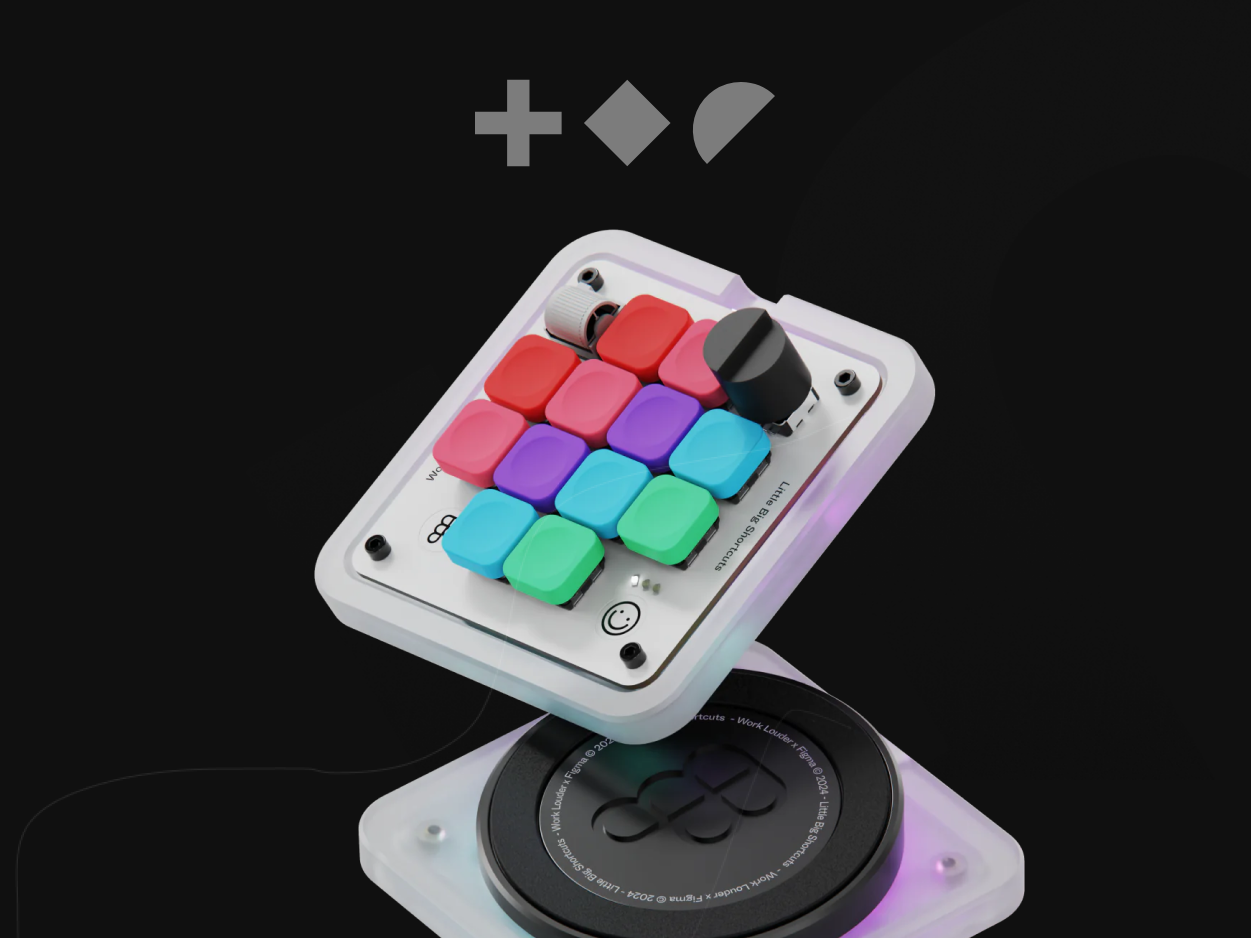
However, most convenient hotkeys are already taken on standard keyboards, forcing you to use complicated combinations. To solve this, macro keyboards or macropads were created—external devices with additional keys where you can assign your custom macros. These are often seen with gamers, but they’re also incredibly useful for productivity and creative work.
Recently, the Figma Creator Micro by WorkLouder caught my attention. It was developed in collaboration with Figma and comes with pre-programmed keys tailored specifically for Figma’s most useful functions. This isn’t just about saving time—once you free yourself from the technical clutter, you can focus more deeply on the creative part of your work.
Unfortunately, the Figma Creator Micro is currently sold out due to high demand, but it should be back in stock soon. If you’re interested, you can keep an eye on it here:
Link